Transfer large video files without limits— and run your team per project
Built for videographers and editors moving RAW footage, project files, and finished edits — and for anyone who needs to send large files of any kind. Vidsync moves them directly between machines, with no upload limit and no cloud egress fees, plus per-project control over who sees what.
One flat price, no matter how much you send
Per-terabyte transfer tools charge you more as your volume grows. Vidsync stays a single flat subscription — unlimited sending between machines, with no metering and no egress fees.
Adjust the amount of data to compare prices
Vidsync
Unlimited sending for $17/month on a yearly plan ($200/yr), or $20/month on a monthly plan — flat, no matter how many TB you move.
MASV
You pay $800/month for 5 TB on a yearly plan, or $250/month for every TB without a plan.
Aspera
You pay $250.25 for every TB on a yearly plan, or $1,010 for every TB without a plan.
Plus, Vidsync sends peer-to-peer with no upload caps or egress fees — so your bill stays flat no matter how much you move past MASV and Aspera.
MASV and Aspera figures are estimates from publicly listed pricing, shown for comparison only.
Designed for creative production teams
Vidsync keeps every member of a video team — editors, motion designers, producers, freelancers — pointed at the same up-to-date folder, with none of the upload/download dance.
Transfer, review, and manage — in one app
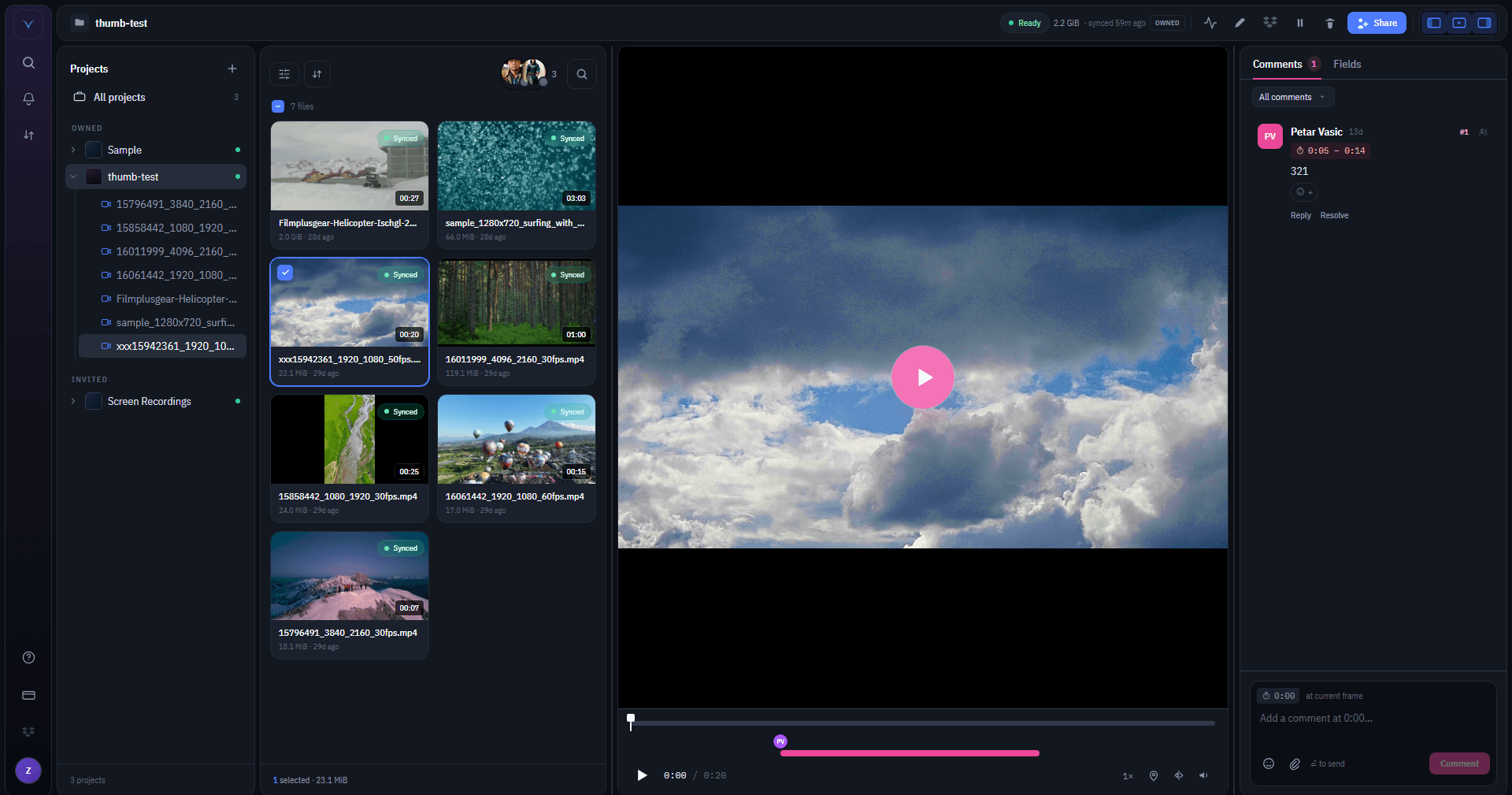
Vidsync moves large video files between devices with no size cap, lets your team leave frame-accurate comments right on the clip, and controls who has access to which project. Everything else is in service of those jobs.
No-size-limit file transfer
Send 500 GB or 2 TB of RAW footage between devices without uploading to a cloud. Vidsync moves bytes peer-to-peer, so transfer speed depends on your network — not on an upload quota.
Per-project member management
Each video project is its own membership scope. Invite editors, motion designers, or external clients to specific projects and keep the rest of your work private.
Timecode review comments
Open any synced clip in the built-in player and pin a comment to the exact frame — or an in/out range. Markers sit on the timeline, replies thread under each note, and feedback syncs to the whole project in real time. Works for video and audio.
Real-time folder sync
Drop a file in your project folder and it lands on every teammate’s machine within seconds. If a computer drops offline mid-transfer, Vidsync resumes from the last synced block when it reconnects — no restarting a half-done 50 GB clip, no manual re-upload when you tweak a cut.
Device verification
Every device on your account is verified by email OTP before it can sync. Even if a password leaks, no new machine pulls down your footage.
Works on macOS, Windows, Linux
Editors on Mac, videographers on Windows, color graders on Linux — Vidsync runs natively on all three so distributed teams sync from any workstation.
Per-file sync diagnostics
See which clips are synced, syncing, paused, or stalled before someone notices a missing file. Spot the bottleneck and unblock the edit.
The real app, screen by screen
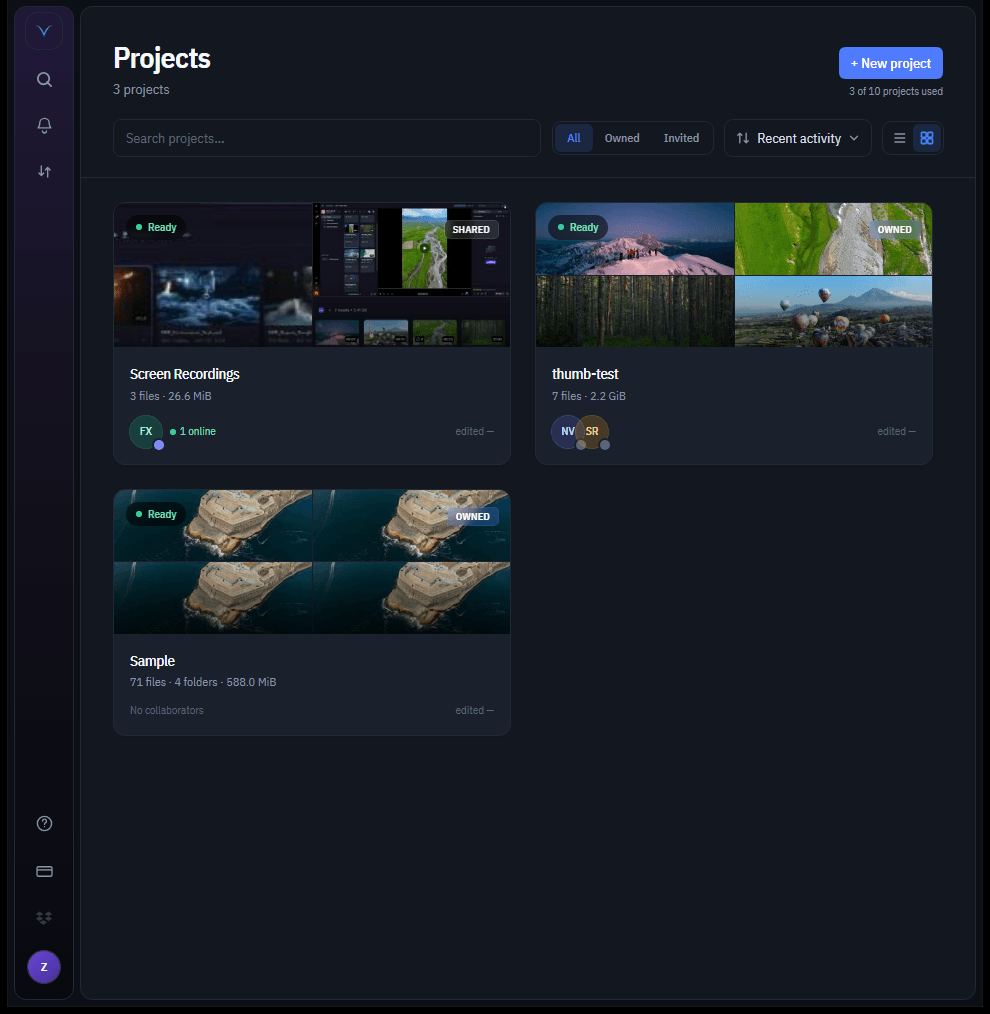
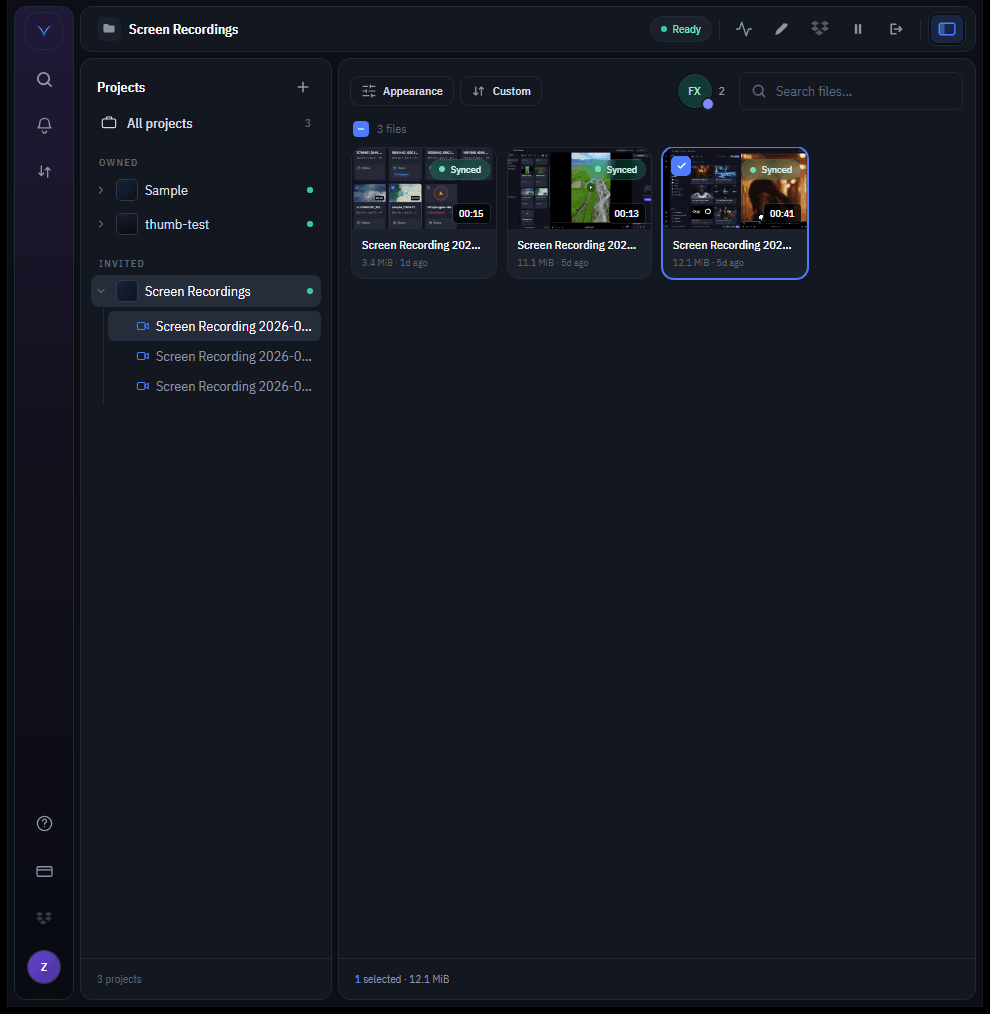
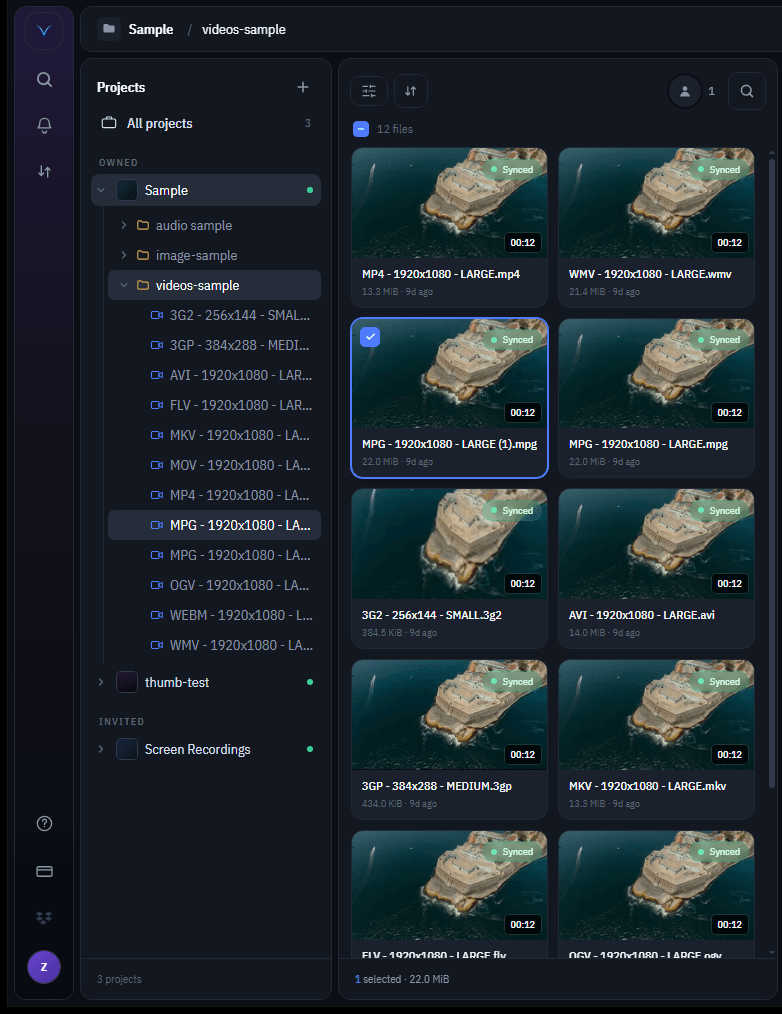
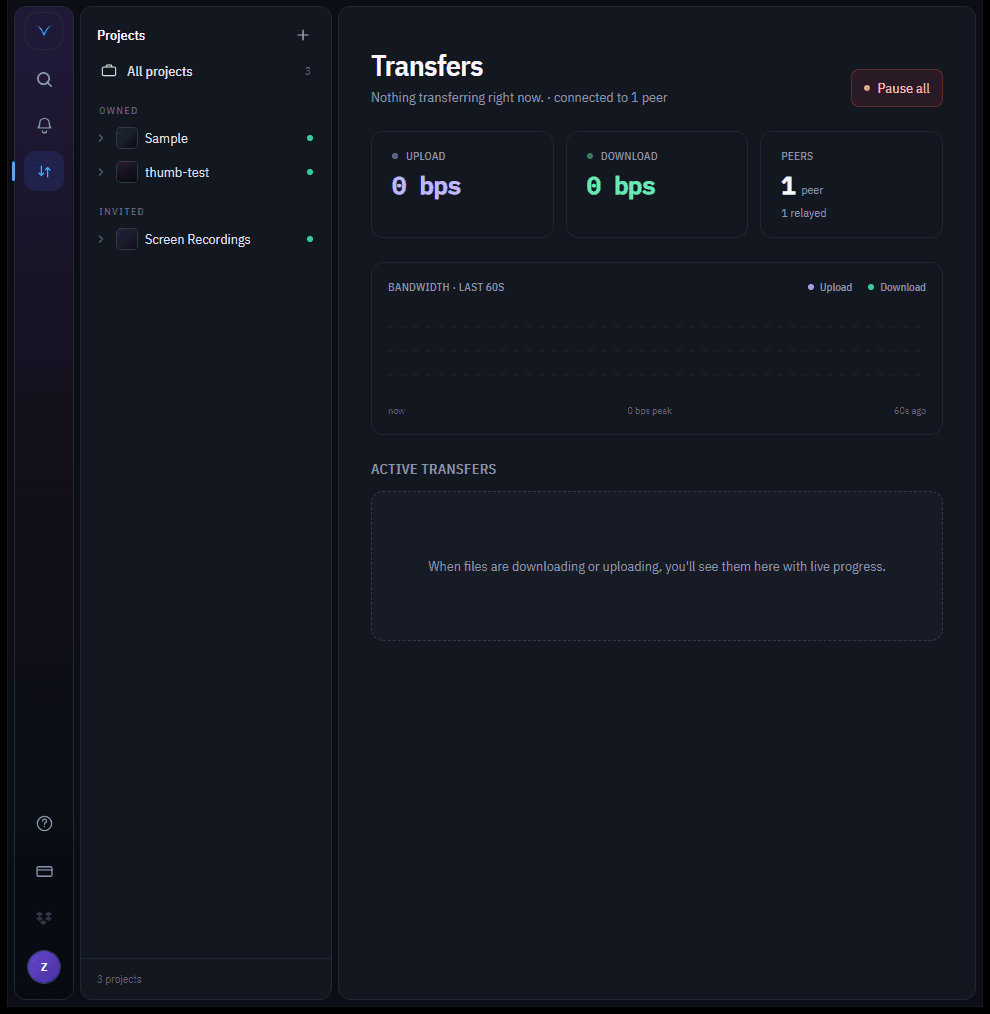
No mockups — these are captures of the current Vidsync desktop app. Browse and sync footage, preview any format, and watch large transfers move between devices in real time.
All your video projects in one place
Owned and invited projects sit side by side with cover collages built from their footage, live sync status, and the collaborators currently online. Filter, sort, and jump straight in.
- Owned and shared projects together
- Live status on every project
- See who's online at a glance
From install to first transfer in minutes
Install the desktop app, connect your project folder, and invite your team. Vidsync handles the large-file transfer and per-project member coordination from there.
Create a video project
Create a project in the desktop app and connect the local footage folder your team already works from — RAW clips, Premiere/Resolve project, exports, everything.
Invite editors & collaborators
Add editors, videographers, or external clients to that specific project. Each project has its own member list, so nobody sees footage they shouldn't.
Transfer in the background
Vidsync moves files peer-to-peer between every member's device — no upload step, no cloud cap, no 2 GB transfer limit. Walk away and let it run.
Track sync status
See per-file sync state from the desktop app: which clip is synced, syncing, paused, or stalled. Spot a missing render before your editor pings you.
Simple, transparent pricing
No surprises. Cancel any time.
Checkout is handled securely by Stripe.
Free
- 1 project (1-day trial)
- 1 active computer, transferable by email code
- Direct peer-to-peer sync — no cloud storage
- Version history and conflict tracking built in
Pro
$17/mo billed yearly · 2 months free
- 10 projects
- 1 active computer, transferable by email code
- Direct peer-to-peer sync — no cloud storage
- Version history and conflict tracking built in
Studio
$125/mo billed yearly · 2 months free
- Unlimited projects
- 1 active computer, transferable by email code
- Direct peer-to-peer sync — no cloud storage
- Version history and conflict tracking built in
- Priority email support
Common questions about video file transfer
Practical answers for videographers, editors, and production studios deciding whether Vidsync fits their workflow.
How can I send 1 TB of video files between videographers and editors?+
Add the folder containing the footage to a Vidsync project, invite the editor as a member, and Vidsync transfers the files peer-to-peer between your machines. There's no per-file or per-project size cap — transfer speed depends on your network, not on an upload quota.
Does Vidsync have an upload limit or file size limit?+
No. Vidsync moves files directly between team members' devices instead of uploading to a cloud, so there's no upload limit, no per-GB egress fee, and nothing on our servers to cap. A single project can move terabytes of RAW footage over its lifetime.
How does Vidsync manage members on each video project?+
Every project is its own membership scope. You invite editors, motion designers, freelancers, or external clients to a specific project by email; they only see footage and files belonging to that project. Remove a member from one project and their access there ends — without touching your other work.
Can my team leave comments on a video at specific timecodes?+
Yes. Open any synced clip in Vidsync's built-in review player and pin a comment to the exact frame, or to an in/out range. Comments show as markers on the timeline, replies thread under each note, and everything syncs to the whole project in real time — so editors and reviewers give frame-accurate feedback without emailing timecodes back and forth. It works for video and audio.
Is Vidsync faster than uploading to Dropbox or Google Drive?+
For large video files, almost always yes. Cloud drives require a full upload to their servers and a full download by your collaborator — twice the bytes over the public internet. Vidsync sends a single peer-to-peer stream that runs at LAN speed if you're on the same network, and at your real WAN speed otherwise.
Can editors sync video projects automatically without manual upload?+
Yes. Vidsync watches every project folder on each member's machine and propagates changes the moment a file lands on disk. There's no upload button, no manual zip-and-share, and no re-uploading the whole timeline because you re-rendered one cut.
Does Vidsync work for remote editing and distributed video teams?+
Yes. Vidsync runs on macOS, Windows, and Linux, so a videographer on Windows can sync RAW clips to an editor on Mac and a colorist on Linux without anyone changing tools. Per-project member control means you can bring in remote freelancers without exposing your whole catalogue.
Ready to modernize your project sync workflow?
Create a project, connect your folder, and invite collaborators in minutes.
No credit card required. Cancel anytime.